



Introducing the RBL Framework
The RBL Framework describes each UI element through three complementary questions: Why does it exist? How does it behave in space? When does it appear?
Semantic role answers that first question, because meaning and purpose have to be established before spatial behaviour and lifecycle can be designed. Asking ‘why’ consistently keeps the user's experience central to every design decision, reducing unnecessary cognitive load.
Example scenario:
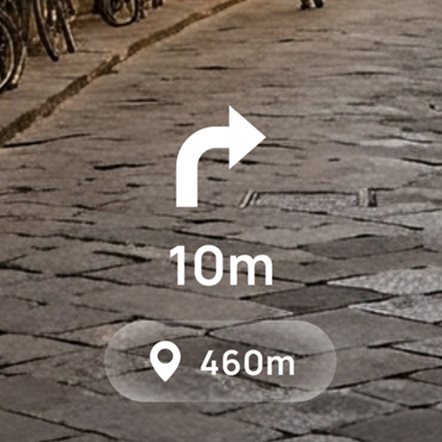
When finding your way through an unfamiliar city, there's a lot to take in. This intentionally minimal UI stays out of the way, allowing the user to keep their focus on the surroundings.
Walking the streets is an ongoing task, rarely urgent. Directional cues are glanceable, and points of interest appear when they are nearby and relevant.


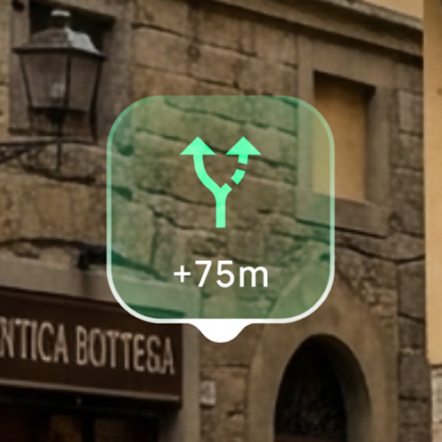
The planned route is blocked by a crowd, so the UI presents an alternate route. The Next turn indicator is hidden to keep the decision point in focus.


The framework helps designers reason about individual UI elements. Its real strength lies in understanding how they work together as a system, helping designers prioritise information as the user's task changes.
Example scenario:
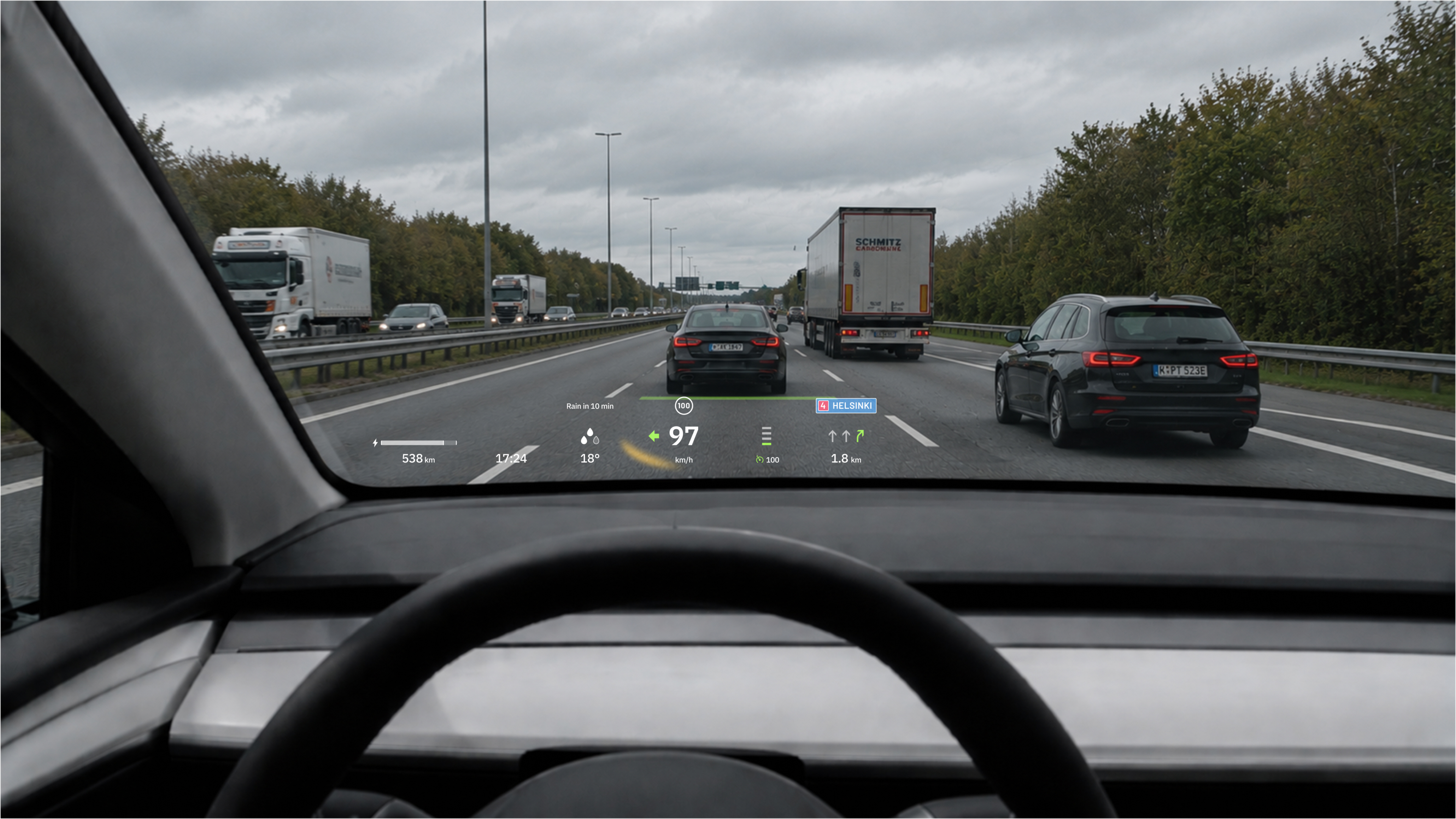
A car HUD shares space with an environment where attention errors carry real consequences. It directly affects the driver's ability to react.
Just cruising along. Information in the HUD is prioritised and organised. Some UI elements are always present, while others appear only when specific systems are active.

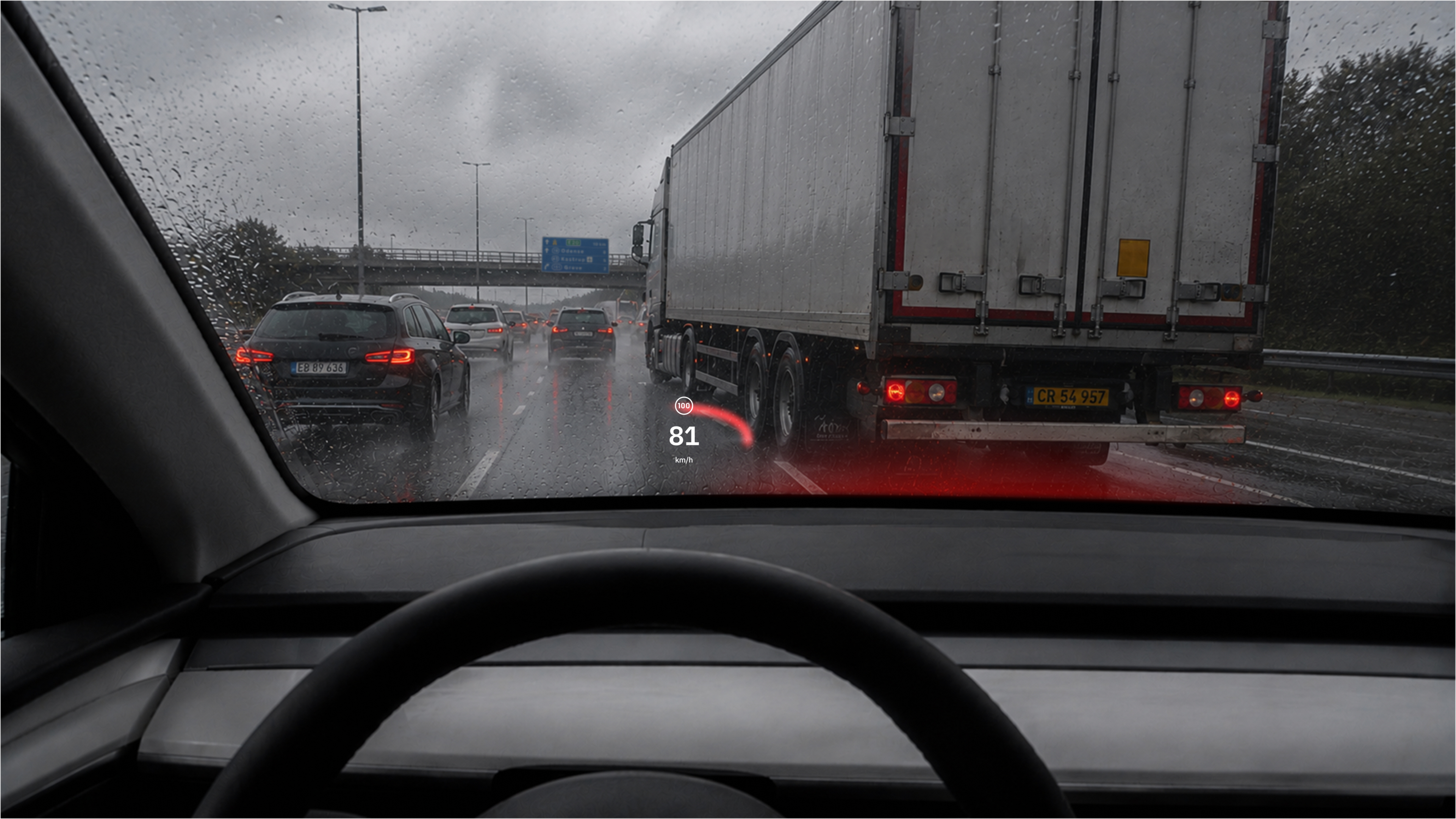
A truck merges right in front. When the situation becomes safety-critical, lower-priority UI elements are removed to focus attention on high-consequence information.

So, the hazard changes priorities across the whole HUD. How can the interface be designed to respond as a system?
Semantic role, describing an element's meaning and purpose, is made up of two parts: context and consequence level. Context identifies which part of the experience an element belongs to: the system, the task, or the physical world. Consequence level shows how much priority that element should have, and can shift as situations change.
Mapping UI elements by both forms the Semantic Role Matrix, revealing patterns in the system no single element can show on its own.
High consequence
Shell
Task
World
Medium consequence
Shell
Task
World
Low consequence
Shell
Task
World
Shell UI relates to the system's state and configuration.
Task UI supports the current task without being tied to the system or the physical location.
World UI depends contextually on something in the physical environment.
Switch between application states to compare how UI priorities change.
Greyed-out UI elements are disabled or hidden in the current state.
The matrix clarifies design priorities, making them easier to discuss with the team and explain to stakeholders.
The examples above showed why prioritisation matters in practice. The Framework page shows in detail how every UI element can be described through semantic role, spatial behaviour, and lifecycle.